Radical Prototype: 10/23
Iteration & Evolution of the Shopping Speed Bump
Customizable Intervention Intensity
Users can adjust the intensity of reflection prompts through our browser extension settings, allowing them to choose the level of intervention that works best for their shopping habits.
Spectrum of Reflection Prompts
Light Intervention
- UI is just closet comparison
- Subtle visual reminder
- Non-intrusive notification
- Easy to dismiss
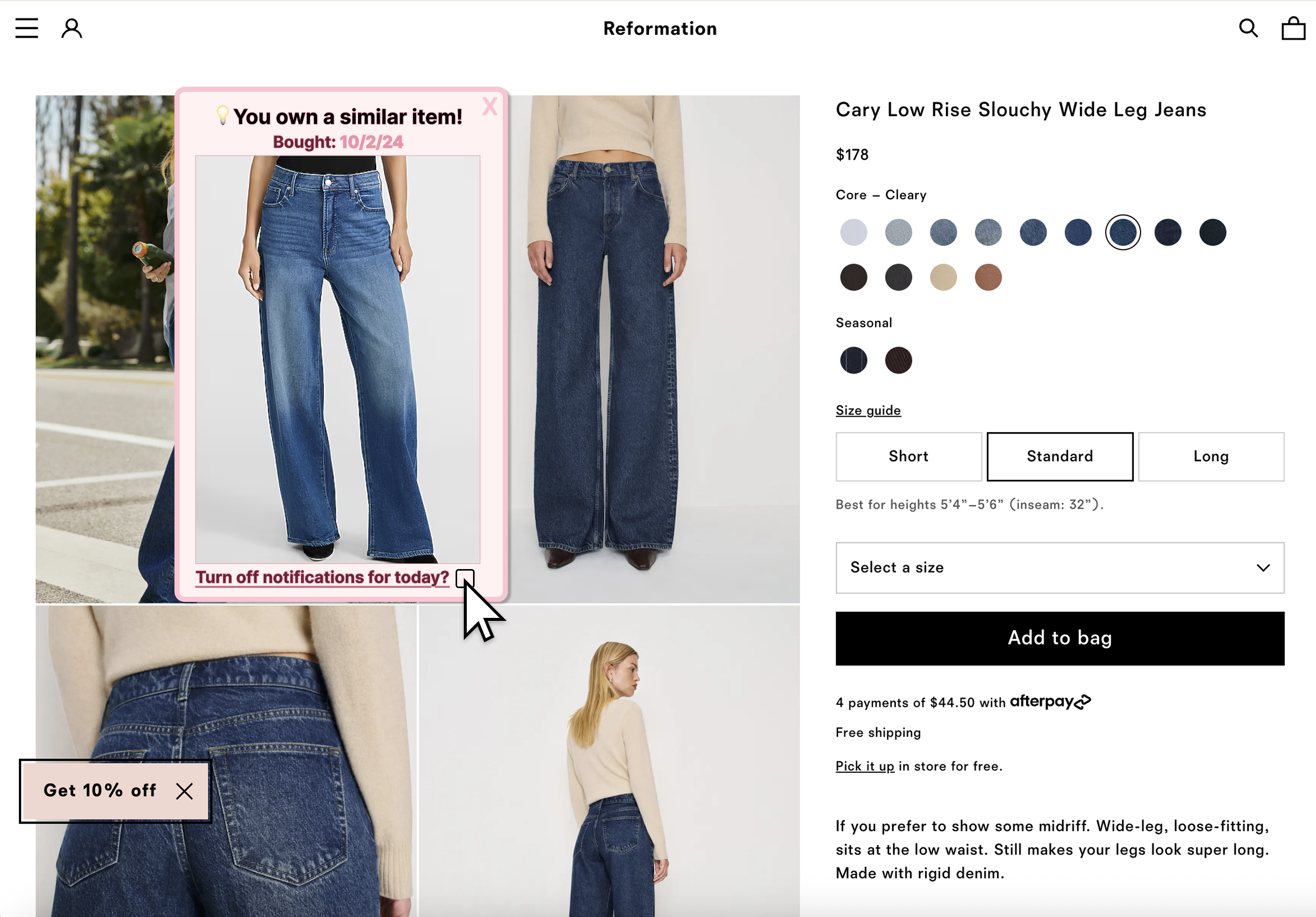
Medium Intervention
Examples from mid-review:
- Closet comparison
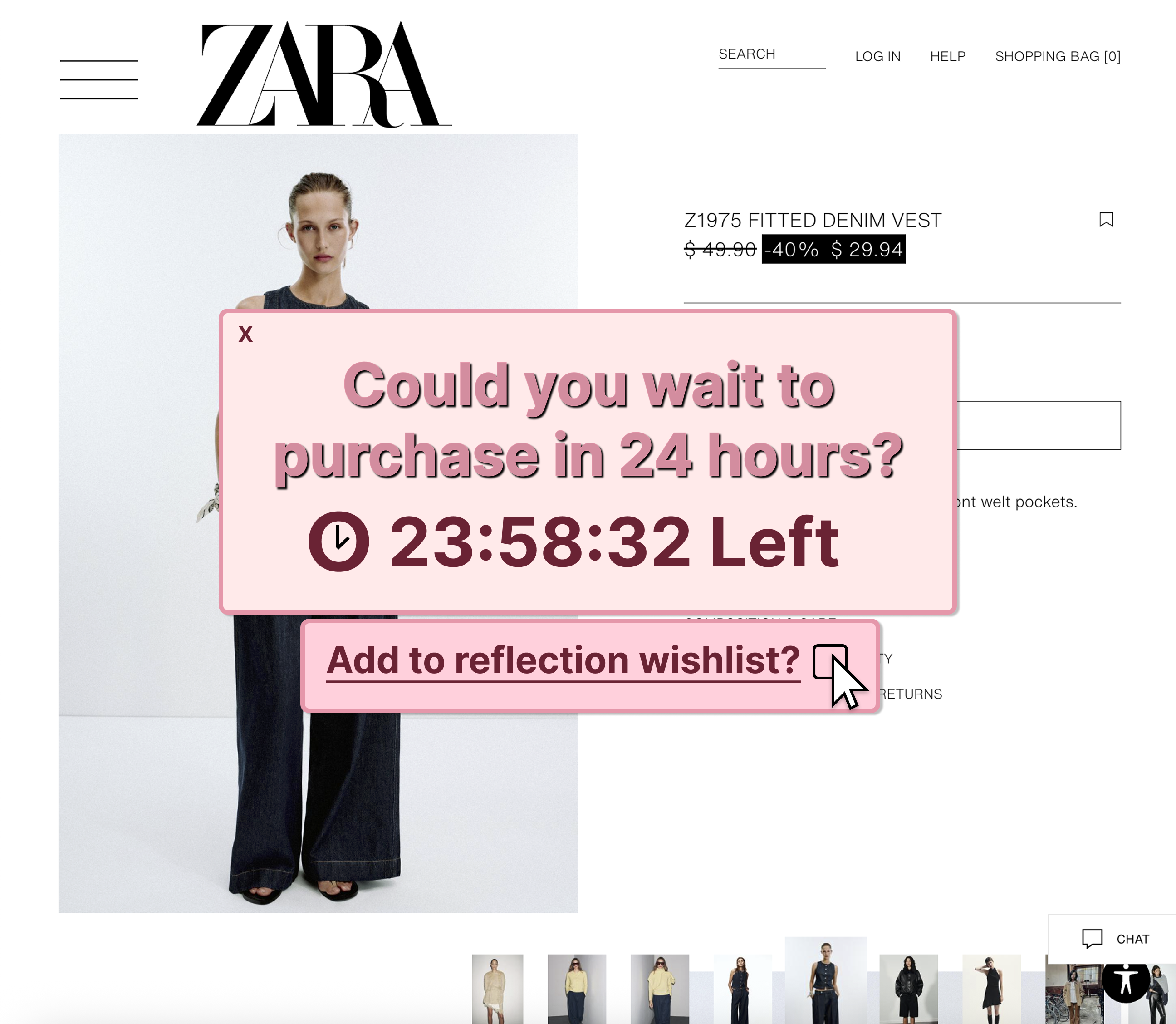
- Reflection wishlist/timer
- Goals reminder
- Reflection prompts
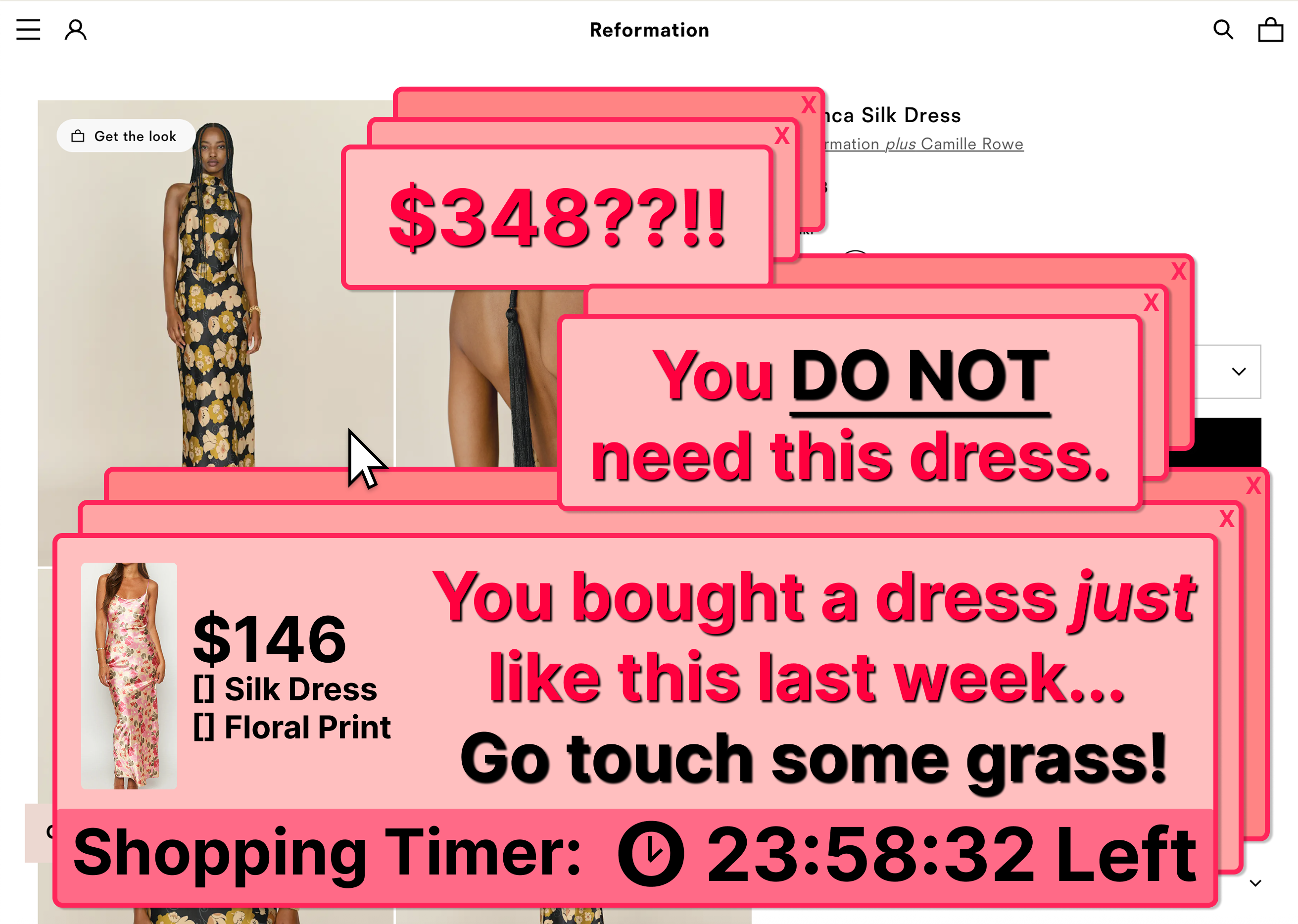
Extreme Intervention
- UI is bigger, covering screen
- Alarm noise
- Wording is harsh and loud
- Forces pause before proceeding
Our Current Prototype: We're implementing the Medium level as the default setting, with the ability for users to adjust up or down based on their preferences. This balances effectiveness with user autonomy.
Intervention Examples
Below are visual examples and detailed descriptions of how each intensity level appears to users during their shopping experience.
Light: Subtle Visual Reminder
A gentle nudge that provides information without disrupting the shopping flow, ideal for users who prefer minimal intervention.
Visual Design:
- Small banner notification at page top
- Thumbnail grid of similar items only
- Collapsible to dismiss easily
Interaction Pattern:
- Non-blocking, informational only
- Auto-dismisses after 5 seconds
- No action required to proceed
Medium: Balanced Reflection Prompt
The default setting that balances intervention effectiveness with user autonomy and shopping experience.
Visual Design:
- Sidebar modal (doesn't block entire page)
- Side-by-side comparison with wardrobe items
- Personal goals reminder at bottom
Interaction Pattern:
- Can dismiss after reviewing similar items
- Optional wishlist timer feature
Extreme: High-Impact Intervention
The most assertive intervention level, designed for users who want maximum support in curbing impulse purchases.
Visual Design:
- Full-screen overlay blocking shopping site
- Countdown timer forcing 1-hour pause
- Grid of similar items from wardrobe
Interaction Pattern:
- User cannot proceed until timer expires
- Must acknowledge each similar item
- Optional alarm sound notification
- Requires explicit confirmation to continue